A look inside
Every console, every copy, at a glance
What it does
Made for the hunt
-
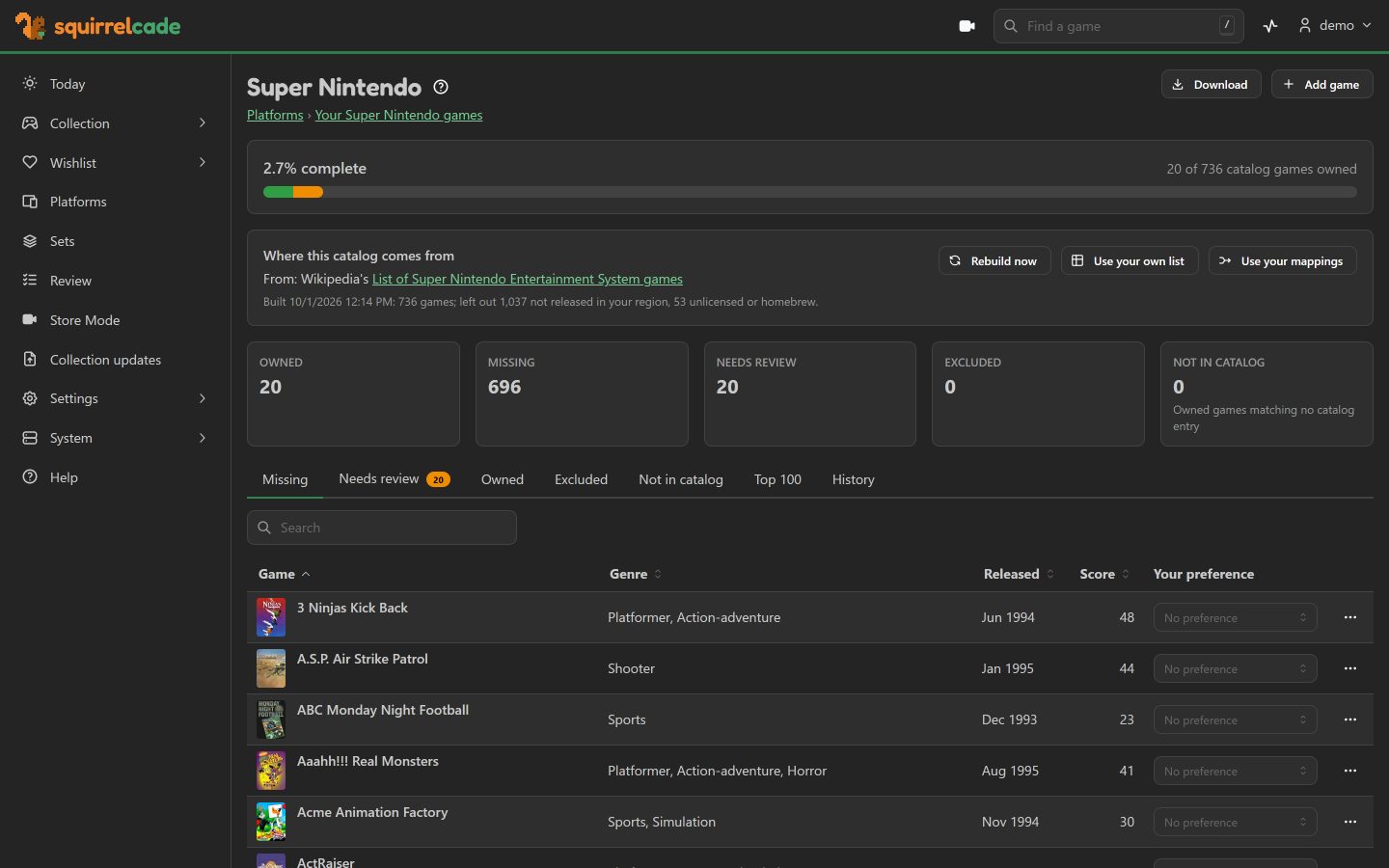
Every console's checklist
The Almanac: complete game lists for the consoles you collect, from Wikipedia and your own lists, with what you own and what's missing on each, its Top 100 and its history.
-
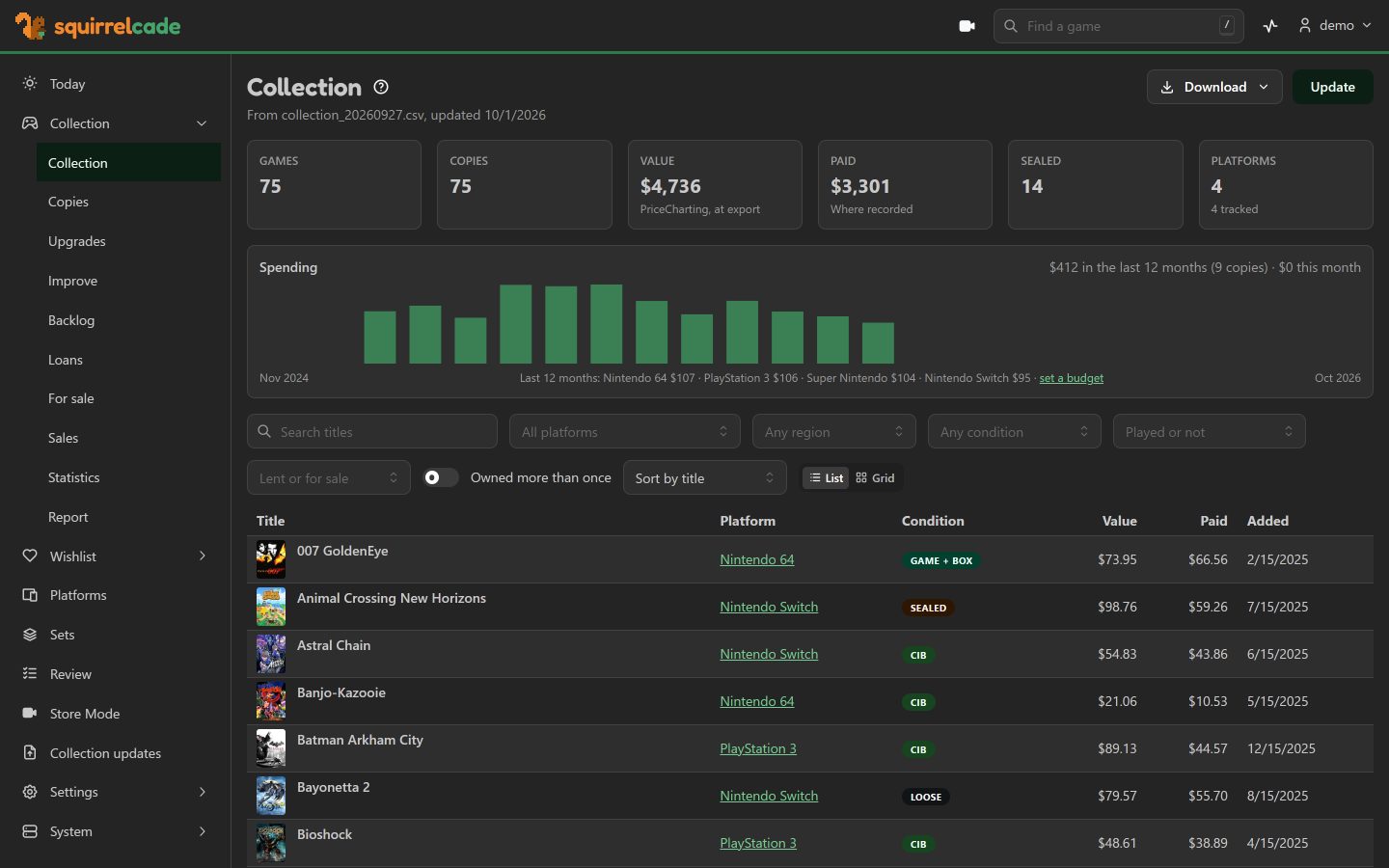
What it's worth
Values from your PriceCharting export or your own spreadsheet, over time and by console, beside what you paid.
-
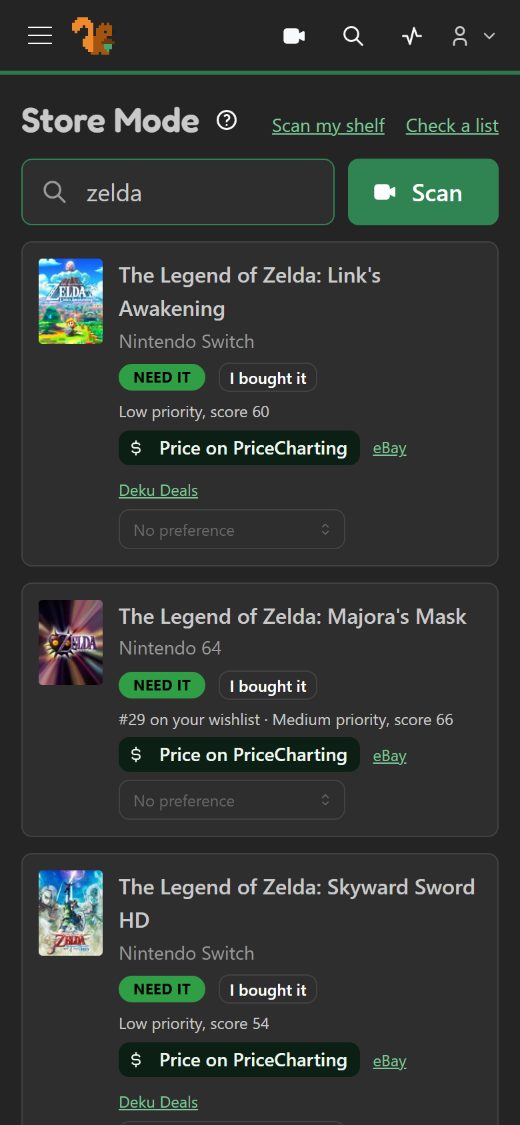
Store Mode, even with no signal
Scan a barcode in a shop and see at once, in big letters: you need it, you own it, or you have it on another console, and Add it puts it in your Stash on the spot. Or photograph a whole shelf: your phone reads the spines and lists what you need. It works when the signal drops.
-
A wishlist ranked in acorns
Every game you don't have, ranked by your own rules: your favorite consoles and genres, reviews, the series you collect. What's an acorn?
-
Add games by hand
No export needed. Pick the console, start typing, and Squirrelcade suggests the title from that console's game list. What you paid, when and a note go into your Stash with it, and where it's kept: scan a bag's label, then its games. Your order emails can fill in what you paid, and list what's on the way.
-
Coming soon and deals
New releases on your consoles, last year's games now cheaper, and PriceCharting's deal emails lined up against your wishlist, with a manual or a case listed alone left out.
-
Your server, your data
One Docker container on your NAS, mini PC or Raspberry Pi (Intel, AMD or 64-bit ARM). Your collection stays at home, with regular backups you can copy anywhere.
-
Works on its own
No AI, no outside account. Add what you use when you want it: PriceCharting values, IGDB box art, RomM, Playnite, Steam, email, phone alerts and more.
-
Compare with friends
Swap a file with a friend who runs Squirrelcade too: your collections side by side, console by console, what each of you is missing, and trades that come out even by value.
-
Talk to it
Ask in your own words, in the app or from Claude: do I have Pac-Man? What's at the top of my wishlist, and why? Tell it you bought something and it's noted, with Undo. Any AI service, or one at home, or none.
-
Ready to sell
A listing for eBay or Mercari written from your copy, priced after fees and shipping, with what it sold for lately.
-
Set up with your AI's help
Paste the setup prompt into Claude, ChatGPT or another AI, free accounts included. It checks your server first, then walks you through every step.
The Acorns wishlist
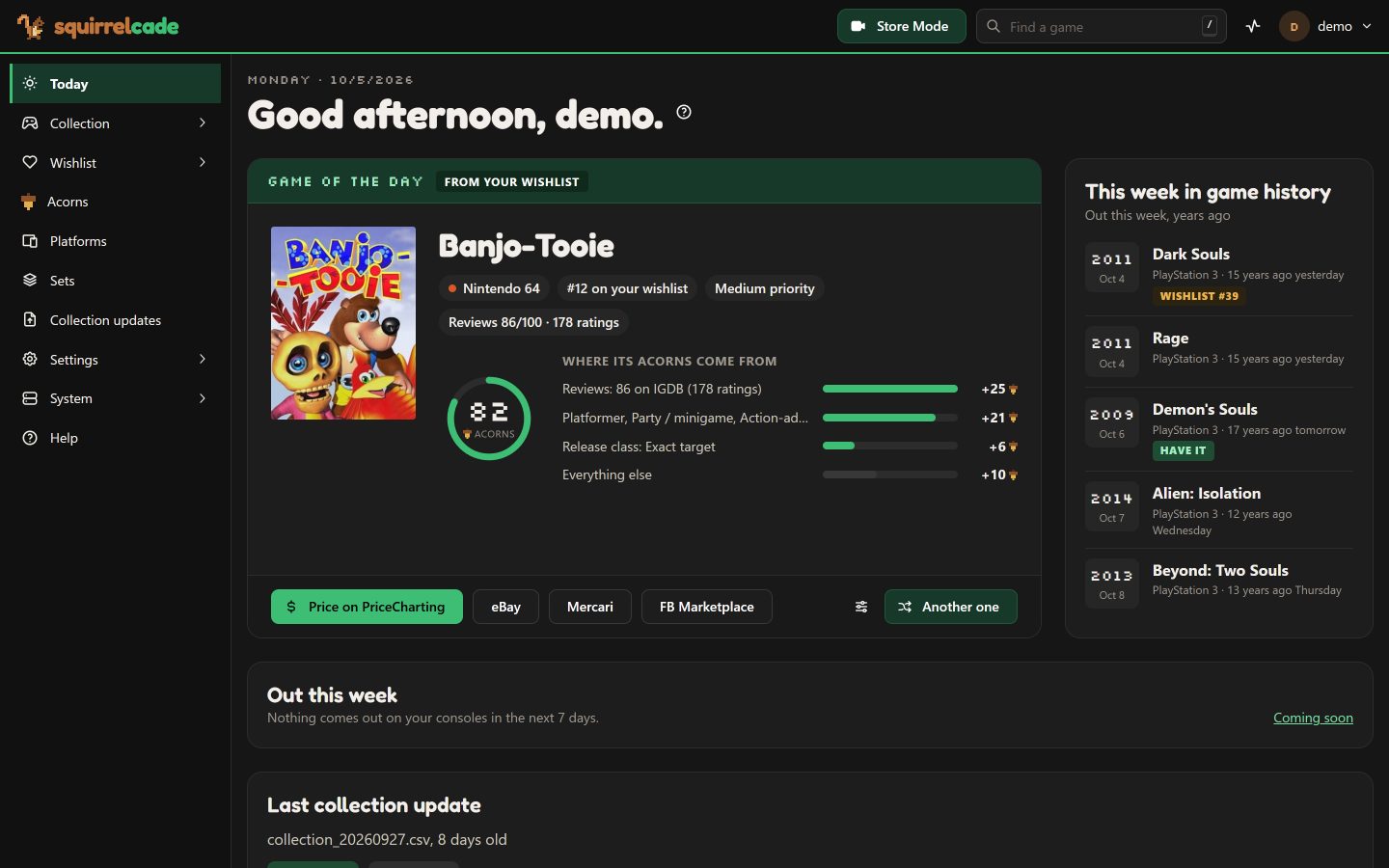
What's an acorn?
An acorn is how much you'd want a game you don't have yet. A game's acorns, from 0 to 100, add up from rules you set, and your wishlist ranks every missing game by them. It's Squirrelcade's own unit, so it's never mistaken for a review score.
Where acorns come from
- Reviews. Critics' and players' ratings (with free IGDB keys) give up to 31 acorns, trusted more when more people rated the game.
- Your consoles and genres, in the order you like them. Squirrelcade starts the order from what you've been collecting lately.
- Series you collect. The more of a series you own, the more its other games are worth to you.
- Finishing a console. Extra acorns when only a few games are left on it.
- Your own say. Must Have adds 20, Strong Interest 10. Do Not Recommend takes a game off the list for good.
- Optional rules: your own sets, other regions' releases, games you already own on PC, and more.
| Reviews: 93 out of 100 | +31 |
| Super Nintendo, your favorite console | +22 |
| Role-playing, a genre you love | +15 |
| You marked it Must Have | +20 |
| A series you collect | +5 |
| Acorns | 93 |
A list worth reading
The top picks mix things up: each game already picked from a console takes a few acorns off the next one from it, so your top ten isn't all one console or one series.
Your rules, your list
Change any rule on Acorns ranking and the whole list re-ranks. Snooze a game to leave it off for a few months.
Acorns everywhere you decide
In Store Mode at the shelf, beside deals and coming releases, in the game of the day, and in Claude's answers.
Getting started
Three steps from your shelf to the hunt
- 1
Install it
One container on Synology, Unraid, TrueNAS, Portainer or plain Docker, with a step-by-step guide, or your AI walking you through it.
- 2
Bring your collection
Type your games in, or upload an export from PriceCharting or a spreadsheet. Squirrelcade builds each console's checklist from it.
- 3
Go hunting
Open it on your phone in a shop. It tells you what to grab and what to leave on the shelf.

A squirrel stashes for winter. You stash games.
Squirrelcade is named for both: a stash, and the arcade. It's free, and it's on GitHub.